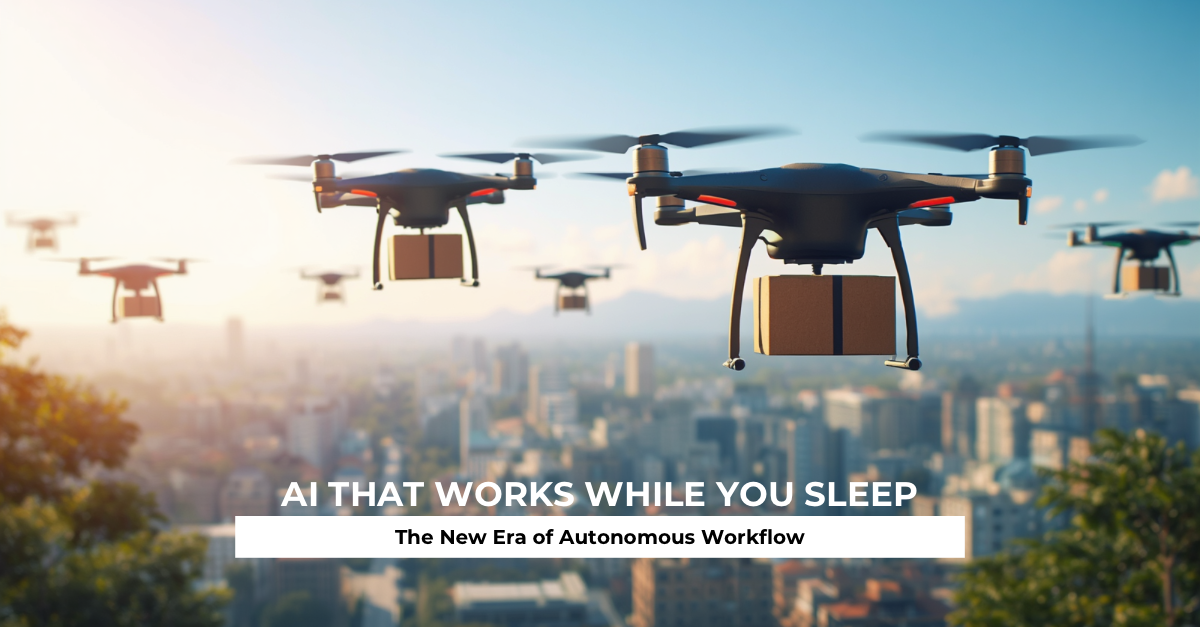
AI That Works While You Sleep The New Era of Autonomous Workflows
Imagine closing your laptop at night, knowing that research is still being gathered, reports are being drafted, data is being cleaned, and tomorrow’s options are already taking shape. No late-night sessions. No frantic morning catch-up. Just results waiting for you when you open your eyes. That is no longer a futuristic fantasy. Autonomous AI workflows are making it real right now.
For years we treated artificial intelligence like a brilliant but slightly needy intern. You had to stay present, keep feeding instructions, and check every step. The new generation of systems flips that relationship. You set the destination, define the boundaries, and step away. The work continues without you. This article explores why that change matters, how these workflows actually function, where people are already using them, and how you can begin putting them to work in your own life or business.
The Old Frustration of Always-On Attention
Why Traditional AI Still Demands Your Time
Most AI tools we use daily still operate in short bursts. You ask a question, receive an answer, then decide the next move. Even advanced chat interfaces require you to stay in the loop. The system does not independently decide to dig deeper, cross-check sources, or move to the following stage of a project. That keeps the human firmly in the driver’s seat for every mile of the journey.
The Hidden Cost of Constant Prompting
What looks like a time-saver on the surface often becomes another layer of work. You spend mental energy crafting better instructions, reviewing partial outputs, and stitching pieces together. Over a full day those small interruptions add up. Focus fractures. Deep work becomes harder. The tool that was supposed to free you starts claiming more of your attention than expected.
When Productivity Tools Become Another Job
Many professionals end up managing their AI tools the same way they once managed junior staff. The difference is that the “staff” forgets context the moment the chat window closes unless you carefully rebuild it each time. The result is a strange hybrid workload: part original thinking, part constant system supervision. Autonomous workflows aim to break that pattern.
What Autonomous Workflows Actually Mean
From One-Shot Answers to Ongoing Processes
An autonomous workflow begins with a goal rather than a single prompt. Instead of “summarize this article,” you might say “monitor these five sources daily, extract key developments, and prepare a structured morning briefing.” The system treats that as an ongoing assignment. It runs, checks, updates, and prepares the deliverable without needing you to restart the conversation every morning.
Goal-Driven Systems That Keep Moving
These systems plan sequences of actions. They decide what information is still missing, which tools to call, and when a step is complete enough to move forward. If an early result is incomplete, the workflow can loop back and gather more data. Progress continues even while you are offline, in meetings, or asleep.
The Difference Between Assistance and Autonomy
Assistance waits for your next instruction. Autonomy carries responsibility for progress toward a defined outcome. That shift sounds simple, yet it changes the relationship entirely. You move from operator to director. Your role becomes setting clear objectives, establishing limits, and reviewing results rather than micromanaging every action.
The Core Building Blocks of Systems That Run Alone
Planning and Task Breakdown
Strong autonomous systems first turn a high-level goal into a series of smaller, concrete steps. They prioritize those steps, estimate what success looks like for each one, and adjust the plan when new information appears. This planning layer is what separates a simple script from a flexible workflow.
Tool Access and Real-World Actions
Modern workflows connect to browsers, databases, code environments, email systems, calendars, and other software. They do not just generate text. They can search, retrieve, calculate, update records, and trigger actions in other platforms. The ability to act in the digital environment is what allows work to advance without constant human input.
Memory and Progress Tracking
Effective systems remember what has already been done, what failed, and what remains. They maintain state across hours or days. This memory prevents the common frustration of repeating the same instructions or losing context between sessions.
Feedback Loops That Self-Correct
The most capable workflows evaluate their own intermediate results. They check whether a data set is complete, whether a draft meets basic quality criteria, or whether a process has stalled. When problems appear, they can retry, try an alternative approach, or flag the issue for human review. These loops reduce the number of times you must intervene.
Real Ways People and Teams Use Overnight AI Work
Research and Report Generation
Professionals set agents to gather information on competitors, market trends, or technical topics overnight. By morning a structured summary, comparison tables, and source lists are ready for review. What once required half a day of focused searching now happens in the background.
Content Pipelines and Creative Production
Writers and marketers build workflows that turn rough ideas into outlined drafts, social variations, or research-backed articles. The system handles the first heavy lift while the human focuses on voice, insight, and final polish. Creative output increases without a matching increase in late nights.
Data Processing and Monitoring
Teams use autonomous processes to clean incoming data, flag anomalies, generate routine reports, and watch for specific conditions. Alerts only surface when something needs attention. The rest of the monitoring happens quietly and continuously.
Personal Life Applications That Free Mental Space
Individuals apply the same approach to travel planning, personal finance tracking, learning schedules, and household logistics. An overnight workflow might compare flight options, update a budget summary, or organize research notes for a side project. The mental load of keeping track of everything drops noticeably.
The True Advantages of Letting AI Work While You Rest
Time Reclaimed and Cognitive Load Reduced
The most immediate benefit is obvious: work happens outside your active hours. Less obvious but equally important is the reduction in decision fatigue. When routine multi-step processes run without you, your attention stays available for judgment, creativity, and relationships.
Faster Iteration Without Burnout
Projects that previously stretched across days can advance every night. You review progress in the morning, make high-level adjustments, and let the system continue. Cycles shorten while personal recovery time stays protected.
Scaling Output Without Scaling Hours
One person directing well-designed autonomous workflows can produce volume that once required several people. This does not eliminate the need for skill or taste. It multiplies the impact of the skill and taste you already have.
Practical Challenges and How to Handle Them
Quality Control When You Are Not Watching
Autonomy introduces the risk of polished-looking errors. A workflow can confidently produce an incorrect summary or miss a critical source. The solution is building deliberate review points into the process. Define what “done enough for human review” looks like and schedule those checkpoints at sensible intervals.
Security and Permission Boundaries
Giving a system the ability to act creates new responsibilities. Limit access to only the tools and data required for the specific workflow. Use confirmation steps for irreversible or high-impact actions. Treat permissions with the same care you would give a new team member.
Avoiding Runaway Processes and Error Build-Up
Without clear stopping conditions, a workflow can keep going in unproductive directions or compound early mistakes. Set maximum steps, time limits, and success criteria. Design the system to pause and request guidance when uncertainty exceeds a defined threshold.
How to Start Building Your Own Autonomous Workflows
Choosing the Right First Processes
Begin with tasks that are repetitive, multi-step, and reasonably well-defined. Research summaries, data organization, first-draft generation, and routine monitoring are strong candidates. Avoid starting with highly subjective or high-stakes decisions until you understand the system’s behavior.
Setting Clear Goals and Guardrails
Vague instructions produce vague results. State the desired outcome, the format you expect, the sources or tools that are acceptable, and the conditions under which the workflow should stop or escalate. Clear constraints actually increase useful autonomy.
Review Habits That Keep Things on Track
Establish a simple rhythm. Check overnight results at a consistent time. Note patterns in successes and failures. Refine the instructions and boundaries based on real performance. Small, regular adjustments improve reliability faster than occasional major overhauls.
What This Shift Means for the Future of Work
New Expectations for Human Roles
As more processes run autonomously, the valuable human contributions move toward goal definition, exception handling, quality judgment, and creative direction. The ability to design, monitor, and improve these workflows becomes a core professional skill.
The Rise of Always-Running Digital Teams
Organizations and individuals will increasingly operate with persistent digital workers handling defined responsibilities around the clock. Human teams will focus on the work that still requires empathy, novel judgment, ethical consideration, and strategic vision. The combination of human insight and continuous machine execution will define competitive advantage.
Autonomous AI workflows represent a meaningful evolution beyond reactive tools. They turn goals into ongoing processes that plan, act, remember, and adjust with minimal supervision. People already use them for research, content, data tasks, and personal organization, reclaiming time and reducing cognitive load. The advantages are real, yet they come with clear responsibilities around quality, security, and control. Starting small with well-scoped processes, clear guardrails, and consistent review habits allows anyone to begin capturing the benefits. The era of AI that works while you sleep is not coming. It has already begun. The practical question is how deliberately you choose to use it.
Which workflows in your own day would benefit most from running overnight? Share your ideas or experiences in the comments. Practical examples from readers often spark the most useful discussions.
FAQ
What makes a workflow truly autonomous rather than just automated?
Automation follows fixed rules. An autonomous workflow can plan steps, choose tools, evaluate intermediate results, and adjust its approach toward a goal with far less predefined scripting.
Can these systems really run reliably while I am offline?
Yes for well-scoped tasks with clear boundaries and review points. Reliability improves when goals are specific, permissions are limited, and the workflow knows when to pause for human input.
Is this technology only useful for technical people?
No. Many current tools offer accessible interfaces for research, content, organization, and monitoring tasks. The key skill is clear goal-setting rather than deep technical knowledge.
What is the biggest mistake beginners make?
Giving overly broad goals without guardrails or review steps. Starting too ambitiously often leads to messy results and frustration. Narrow, well-defined first workflows produce better learning and more useful output.
How do I know if a process is ready for autonomy?
If you can describe the desired outcome, the acceptable methods, the definition of “good enough,” and the conditions that should trigger a human check, the process is a strong candidate for an autonomous workflow.